
Built by Oxpier Consults
Oxpier EA: an AI executive assistant in your chat app.
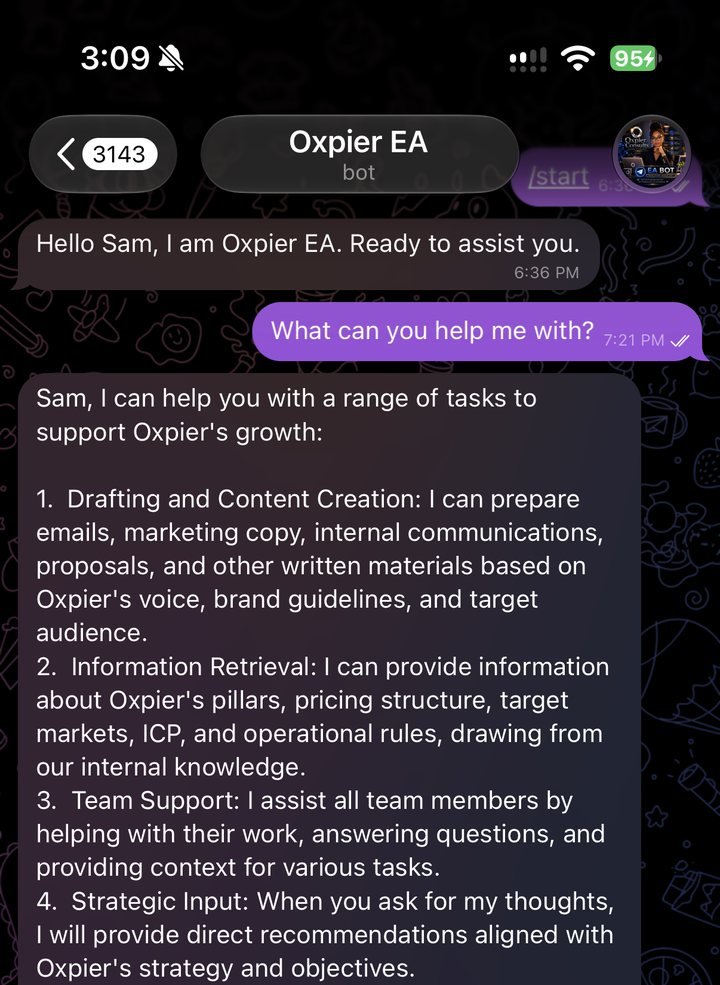
Message it like a person. It works through your calendar, inbox, tasks and files, and anything that changes something comes back to you for a yes first.
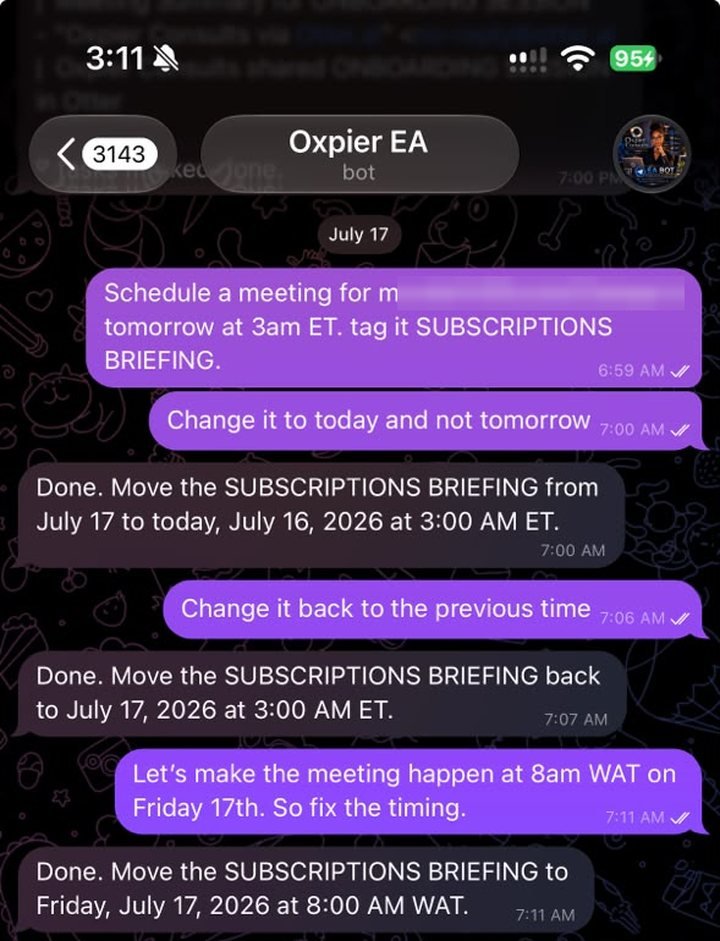
You ask in plain language
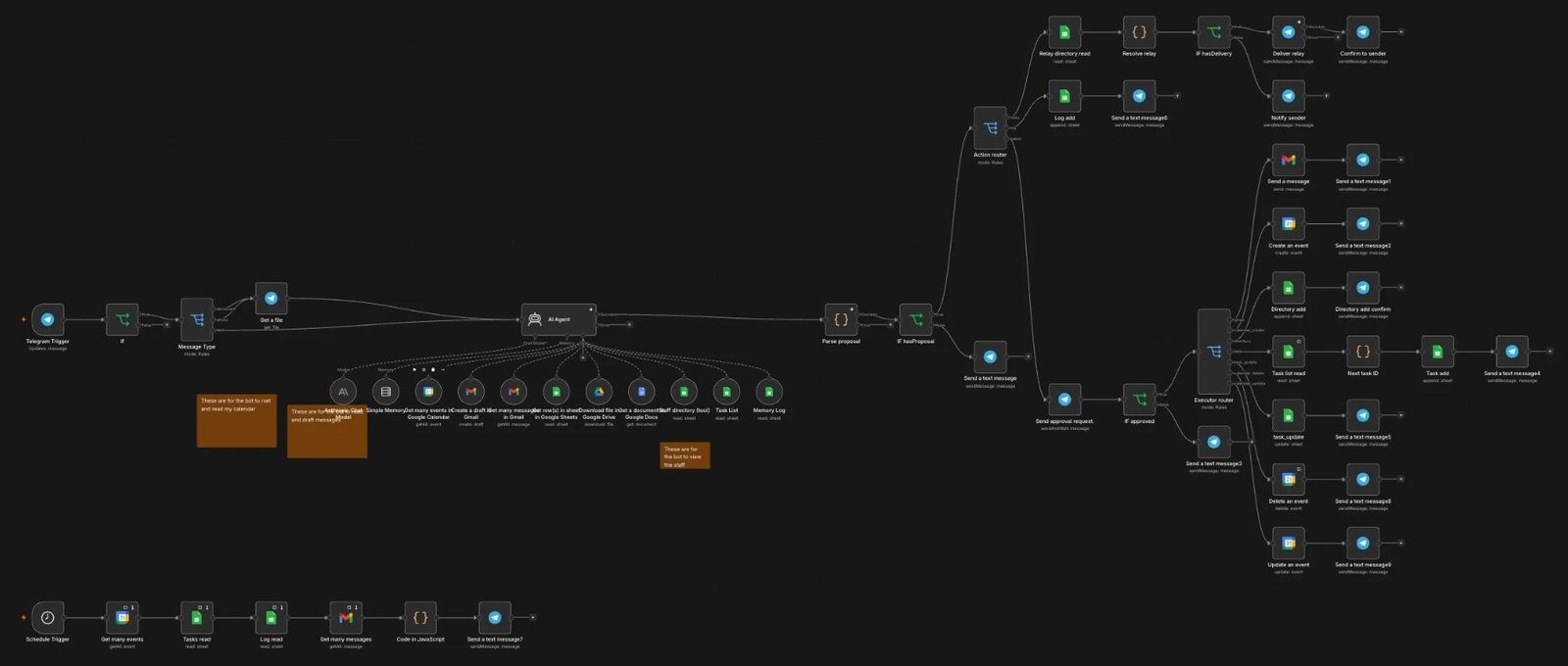
Schedule a meeting, change the time, draft an email. A message in Telegram goes to an AI agent connected to your calendar, inbox, sheets and documents.
You approve before anything changes
Creating or deleting an event, sending an email or updating a task is sent back to you to confirm first.
A scheduled briefing keeps you current
A separate flow gathers your events, tasks, log and mail and sends you a summary without being asked.
What you can ask it
The everyday admin, handled from a chat.
Oxpier EA is for founders and busy operators who run most of their day from a phone. Instead of opening five apps to move a meeting or find a file, you send one message and review the result.
Manage your calendar
Book a meeting, move it to another day, or cancel it. Each change is confirmed with you before it lands in Google Calendar.
Draft and send email
Ask for a reply or a new message in your own words. Oxpier EA drafts it from Gmail and sends it only after you approve.
Find information fast
Ask what is on your schedule, what a document says, or where a file lives in Drive, and get the answer in the chat.
Keep tasks up to date
Add, update or close tasks kept in Google Sheets without opening the spreadsheet.
Start the day briefed
A scheduled summary of your events, tasks and mail arrives on its own, so you know what matters before the first call.
Think things through
Use it for drafting, content and a second opinion on plans, the same way you would ask an assistant to prepare a first pass.
How a request works
You stay in control at every step.
1. You send a message
Type a request in Telegram the way you would text a person.
2. The agent prepares it
It reads the calendar, inbox, sheets and documents it needs and works out the action.
3. You approve, then it acts
Anything that changes something is shown to you first. Only after your yes does it send, create or update.
Questions about Oxpier EA
What is Oxpier EA?
Oxpier EA is an AI executive assistant built by Oxpier Consults. You message it in Telegram and it works across your calendar, email, tasks and files.
Does Oxpier EA act without asking?
No. Creating or deleting an event, sending an email or updating a task is sent back to you to confirm first.
Which tools does it connect to?
The Oxpier EA workflow connects to Google Calendar, Gmail, Google Sheets, Google Drive and Google Docs, and replies through Telegram.
Who is Oxpier EA for?
Founders and operators whose day runs on Google Calendar, Gmail and Google Drive and who want to handle scheduling, email and tasks from a phone without opening each app.
How is Oxpier EA different from Oxpier One?
Oxpier EA is a personal assistant that lives in a chat and works across your own Google tools. Oxpier One is a full workspace for running a services firm, with a CRM, projects, finance and a client portal.
Can Oxpier build an assistant like this for my business?
Yes. Oxpier builds custom assistants and workflows around the tools your team already uses. Projects are scoped and quoted individually after a discovery call.
Want a system like this for your business?
We build custom CRM tools, command centres and assistants around the way your team already works. Tell us what you need to run and we will scope it.
See also: AI & automation systems, Oxpier One.